DOWNLOAD & SAVE THIS POST >> CLICK HERE <<
Written by the PromoteLabs team. Updated November 2026.
To create a lead magnet with AI, start with one specific person and one specific problem, use AI to brainstorm 20 to 30 ideas, score them on six factors (specificity, quick win, desire, offer fit, perceived value and ease of creation), pick a format that delivers a fast result, then use AI to outline, draft and improve it before you add your own voice. Interactive lead magnets such as quizzes, scorecards, calculators and planners now tend to beat plain PDFs because people get a personal result.
Imagine two coaches who both write a free guide. The first calls it “10 Tips for Better Health” and gets a handful of sign-ups. The second builds a two-minute quiz called “What Is Draining Your Energy?” and people share their results with friends. Same topic, same expertise, wildly different results. The second coach did not work harder. She chose a better idea and a better format. By the end of this guide you will know exactly how to do the same.
Every email list starts the same way: someone trades their email address for something they want. That something is your lead magnet, and it decides almost everything that comes after it. A good one brings in the right subscribers, warms them up and points them toward what you sell. A weak one brings in freebie seekers who never open another email.
AI has changed how fast you can build one. What used to take a few weeks of writing and design can now be planned, drafted and tested in a few days. But speed only helps if you are building the right thing. This guide walks through the full process we use, from choosing the idea to measuring results, and shows where AI saves you the most time along the way.
Why Lead Magnets Still Work in 2026
Inboxes are crowded and attention is short, so it is fair to ask whether a free download still moves the needle. It does, for one simple reason: email is still the channel you own. Social platforms change their algorithms, search results now include AI answers, and ad costs keep climbing. Your list is the one audience nobody can take away from you.
What has changed is what people will sign up for. A generic “ultimate guide” no longer feels like a fair trade for an email address. People want something specific that solves one problem quickly. The lead magnets that win today share three traits:
- They are narrow. One audience, one problem, one result.
- They deliver a quick win. The subscriber gets value in minutes, not after reading 60 pages.
- They connect to your offer. The problem the freebie solves leads naturally to the bigger problem your product solves.
Step 1: Know Exactly Who You Want to Attract
Before you open an AI tool, describe your ideal subscriber in plain words. Who are they, what are they trying to do, and what is getting in their way right now? The more specific you are, the better every AI output will be, because AI fills gaps with generic guesses.
A useful exercise is to map the path from stranger to customer. Write down the problem someone has when they first find you, the quick win that would make them trust you, and the paid offer that solves the bigger version of their problem. Your lead magnet sits in the middle of that path. If it does not lead toward your offer, it will grow a list that does not buy.
Try this prompt in any AI assistant: “I sell [offer] to [audience]. Interview me one question at a time to define my ideal subscriber, their biggest frustrations and the quick win that would make them want to hear more from me.” Answering questions one at a time gives AI much richer context than a single long prompt.
Step 2: Generate and Score Lead Magnet Ideas
Once AI understands your audience, ask it for 20 to 30 lead magnet ideas. Quantity is the point here. Most ideas will be average, a few will be good, and one or two will be clearly better than the rest. The trick is telling them apart, which is where a simple scorecard helps.
Score each of your top ideas from 1 (weak) to 5 (strong) on these six factors:
| Factor | Question to ask |
|---|---|
| Specificity | Is it for one clear audience and one clear problem? |
| Quick win | Can someone get a result in minutes? |
| Desire | Is this something people already want and search for? |
| Offer fit | Does it lead naturally to what you sell? |
| Perceived value | Would people be happy to pay for it? |
| Ease of creation | Can you build it well with the time and tools you have? |
Add up the scores for a total out of 30. Ideas scoring 24 or more are strong candidates. Anything under 18 usually needs a rethink, a narrower angle or a different format. You can also paste your list into AI and ask it to score each idea and explain its reasoning, then adjust the scores with what you know about your audience.
Step 3: Choose the Right Format
The same idea can work as a checklist, a template, a short guide or an interactive tool. Pick the format that delivers the result fastest for your audience.
| Format | Best for | Effort |
|---|---|---|
| Checklist or cheat sheet | Quick reference and simple processes | Low |
| Template or swipe file | Saving people time on a task they already do | Low |
| Short report or guide | Explaining a method step by step | Medium |
| Quiz or assessment | Helping people find their type, level or next step | Medium |
| Scorecard | Showing people where they stand across a few areas | Medium |
| Calculator or planner | Turning numbers or goals into a personal plan | Medium to high |
Static formats such as PDFs are still useful, especially as a companion to something interactive. But interactive formats have a big advantage: the subscriber gets a result about themselves, not just information. That feels more valuable, gets shared more and tells you something about each person who signs up.
Step 4: Create It Fast With an AI Workflow
AI works best as a fast collaborator, not a replacement for your expertise. This eight-step workflow keeps the speed without losing quality:
- Research. Ask AI to list the questions, objections and mistakes your audience has around the topic.
- Ideas. Generate angles and titles, then pick the strongest.
- Outline. Have AI draft a short outline focused on the quick win.
- Draft. Write section by section rather than all at once, so each part stays focused.
- Improve. Ask AI to critique the draft as a skeptical reader, then fix what it finds.
- Design. Create a simple cover and clean layout. Clarity beats decoration.
- Test. Give it to three to five real people and watch where they get stuck.
- Finalize. Add your stories, examples and opinions. This is what makes it yours.
Before you start drafting, fill in a one-page brief: who it is for, the problem, the promised result, the format, the title, the key sections and the next step you want readers to take. Paste that brief into every AI session so the output stays on track.
Step 5: Make It Interactive
Interactive lead magnets used to need a developer. Now AI can help you plan the questions, write the results and even build a simple working tool. A few guidelines keep them effective:
- Quizzes: aim for three to five result types and six to ten questions. Each result should describe the person and point to a clear next step.
- Scorecards: use four to six categories so people can see their strengths and their gaps at a glance.
- Calculators: keep inputs simple and show the result in plain language, not just a number.
- Planners: walk people through a few decisions and give them a plan they can save or print.
You also need to decide where the email gate goes. You can ask for the email before the tool, before the full result, or after the result as an optional extra. Gating the full result often works well, because people have already invested a few minutes and want to see their answer.
Step 6: Build an Opt-In Page That Converts
Even a great lead magnet will struggle on a weak page. Strong opt-in pages tend to include the same seven elements: a clear headline that names the result, a short subheadline that says who it is for, a preview image, three to five bullets on what they get, a simple form with as few fields as possible, a button that says what happens next, and a short line of trust such as a privacy note.
Headlines that name a specific result usually beat clever ones. Compare “Lead Magnet Secrets” with “Find Your Best Lead Magnet Idea in 10 Minutes.” The second one tells people exactly what they will get. And do not forget the thank-you page. It is the page with the most attention you will ever get from a new subscriber, so use it to deliver the gift, set expectations for your emails and offer one clear next step.
Step 7: Follow Up So Subscribers Become Fans
The lead magnet starts the relationship. Your emails build it. Set up a short welcome sequence of around five emails that delivers the gift, shares a story, teaches one useful idea per email and introduces your offer once trust is there.
If you use an interactive lead magnet, use the results. Tag subscribers by their quiz result or score and send follow-ups that match. A beginner and an advanced user should not get the same email. Keep each email short, write like a person, include one call to action and invite replies.
Step 8: Drive Traffic and Measure Results
A lead magnet only grows your list if people see it. Put it on your homepage, in your blog posts and sidebar, in your email signature, on your social profiles and in any collaborations you do. For every piece of content you create, ask which lead magnet is the natural next step. Interactive tools are easier to promote too, because you can share a short screen recording of them working.
Then track a few numbers: visitors to your opt-in page, opt-in rate, tool or quiz completion rate, welcome email opens and clicks, and how many subscribers go on to buy. Simple list math helps you plan: 1,000 monthly visitors at a 25% opt-in rate gives you 250 new subscribers a month. Improve one thing at a time, such as the headline, the button text or the number of form fields, and keep whatever wins. Opt-in rates vary a lot by traffic source and audience, so compare against your own past results rather than someone else’s.
A 30-Day Lead Magnet Plan
| Week | Focus | Key actions |
|---|---|---|
| Week 1 | Plan | Define your ideal subscriber, generate 20 to 30 ideas, score them and pick a winner |
| Week 2 | Create | Choose the format, fill in your brief, build it with AI and test it with real people |
| Week 3 | Launch | Build the opt-in and thank-you pages, connect your email platform, schedule the welcome emails |
| Week 4 | Promote and measure | Create a week of promotion content, share it, track your numbers and choose one thing to test |
The Shortcut: A Done-for-You AI Lead Magnet Kit
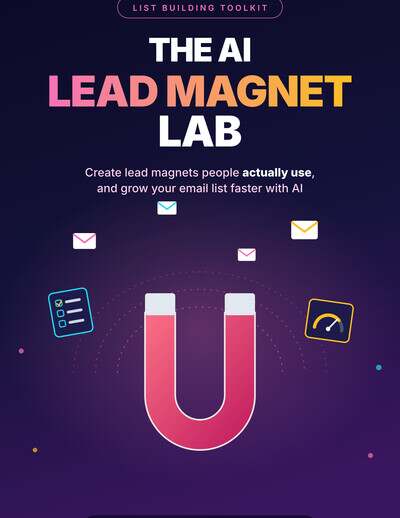
If you would rather skip most of the building, The AI Lead Magnet Lab gives you the whole system above in a ready-made pack, with White Label rights so you can put your own brand on it. It is built around the same methods covered in this guide, and it is free to claim with a free Automated List Profits account.
Inside the kit you get:
- The Lead Magnet Lab AI tool: an interactive tool that scores and compares lead magnet ideas, plans the lead magnet and opt-in page, outlines a welcome sequence and projects list growth.
- The Lead Magnet Coach AI agent: an installable skill for ChatGPT and Claude, plus a Copy and Paste edition for any AI assistant.
- A quiz opt-in page: a Lead Magnet Score quiz you can use to build your own list.
- The full report and cheat sheet: a 10-chapter guide plus quick-reference materials.
- 28 AI prompts, 7 follow-up emails, social posts and graphics to promote it.
- A White Label Owner Kit with a rebrander, license and delivery files.
There are a few ways to use it. You can rebrand the tool and give it away to grow your own list. You can bundle the report, tool and agent as a low-cost product. You can add it as a bonus when you promote related offers, drop it into your course or membership as a new module, or use the tool and agent to deliver a lead magnet set-up service for clients. The pack includes a simple seven-day launch plan to get it online.
Want a new kit like this every month? Automated List Profits delivers done-for-you lead magnets, AI tools and follow-up emails with White Label rights, and it has a special offer running now on our Black Friday deals page. Looking for more? See all 10 free gifts from PromoteLabs.
Keep reading
Frequently Asked Questions
How do I create a lead magnet with AI?
Define one specific audience and problem, ask AI for 20 to 30 ideas, score them on specificity, quick win, desire, offer fit, perceived value and ease of creation, choose a fast format, then use AI to outline, draft and critique it before adding your own stories and examples.
What is the best type of lead magnet in 2026?
Narrow, quick-win lead magnets work best. Interactive formats such as quizzes, scorecards, calculators and planners often outperform plain PDFs because each subscriber gets a personal result.
How many questions should a lead magnet quiz have?
A good starting point is six to ten questions with three to five result types. Each result should describe the person and point to a clear next step.
Should I gate the quiz result behind the email form?
Gating the full result often works well because people have already invested a few minutes and want their answer. You can also ask before the tool starts, or offer the email as an optional extra after the result.
How do I calculate how fast my list will grow?
Multiply monthly visitors by your opt-in rate. For example, 1,000 visitors at a 25% opt-in rate gives about 250 new subscribers a month. Improve traffic, opt-in rate or both to grow faster.
Is there a free done-for-you lead magnet kit?
Yes. The AI Lead Magnet Lab is a free kit with White Label rights that includes an AI tool, an AI agent, a quiz opt-in page, a report and follow-up emails. Claim it with a free Automated List Profits account.
DOWNLOAD & SAVE THIS POST >> CLICK HERE <<